
To place a bet on your favourite sports:
-
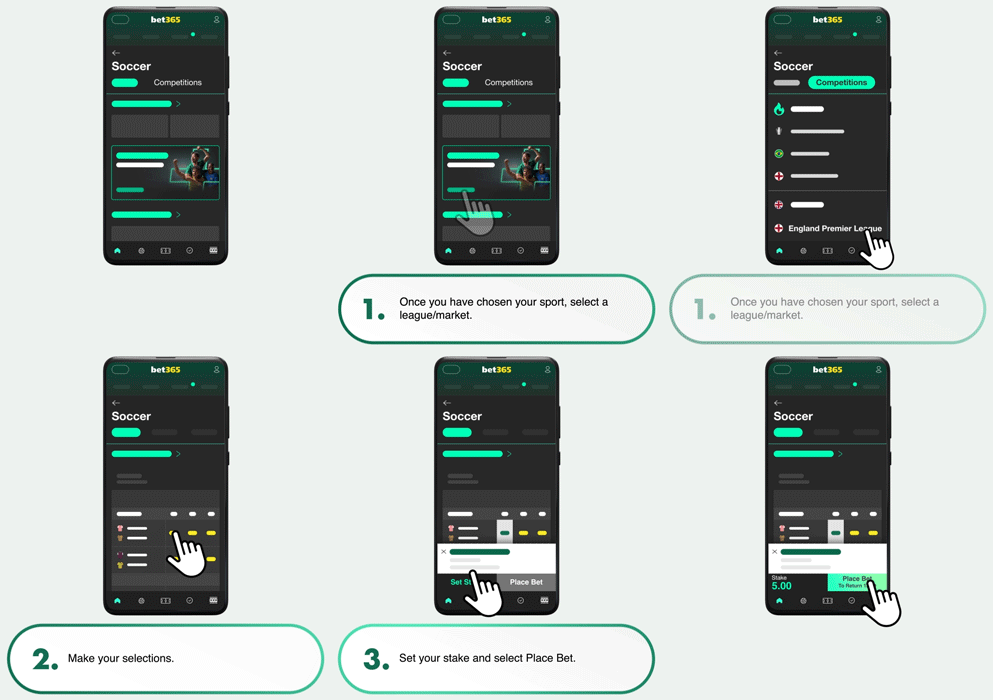
Once you have chosen your sport, select a league/market.
-
Make your selections.
-
Set your stake and select Place Bet.
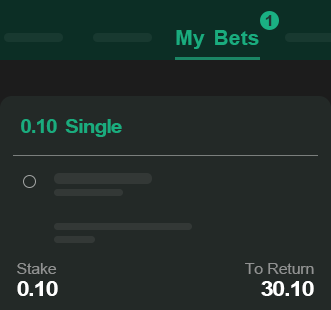
Once your bet has been successfully placed, a bet confirmation receipt appears on your screen detailing your selection, stake, and potential returns.
Available bet types
We offer a wide range of bet types, including:
-
Bet Builders
-
Singles and Multiples
-
Each Way
-
Teaser
Multiple bets
The multiple bet types available are dependent upon how many selections you've chosen.
To place a multiple bet:
-
Make your selections and go to your bet slip.
-
Choose your bet type.
-
Enter your stake and select Place Bet.
Each Way bets
For an Each Way bet, the total stake is double the unit stake.
To place an Each Way bet:
-
Choose a selection from the Win and Each Way market.
-
Select the price you wish to take to add your selection to your bet slip.
-
Select the Each Way (E/W) Box and a tick will appear.
-
Enter your stake and select Place Bet.
More information about Each Way Betting can be found here
Fluctuation of Odds
Occasionally, the line, odds, or availability of your selection may fluctuate, between the time you add it to your bet slip and when you confirm your bet. If this happens, the change will be shown on your bet slip. You'll then have the option to either remove the selection from your bet slip or accept the new odds and continue with your bet.
Good to know
If you’d like to automatically accept odds and line changes, you can enable the Auto allow odds and line changes option toggle within the Preferences tab. Once enabled any future bets will be updated automatically.

